 Watch Align
 / How it works
How it works
How Watch Align measures hour-marker alignment
Watch Align takes one photograph of a supported watch dial, measures every hour marker, and compares each one with reference measurements for that model. Here is exactly what that means, and where it stops.
From one photograph
- Choose your watch. Watch Align only works for the references it lists. See the supported watches.
- Add a sharp, straight-on photo with the whole dial in view.
- Watch Align finds the dial and its printed minute track, straightens the view, and measures each hour marker.
What is measured
For every hour marker, Watch Align measures:
- its sideways position,
- its radial position, meaning how far it sits along the line from the centre of the dial,
- its rotation,
- and, for the 12 o'clock triangle, the gap between the triangle and the minute track.
These are the details enthusiasts check by eye when they QC a dial photo. Measuring them gives a consistent answer, and a number you can compare between photos.
Compared with reference measurements
Each marker is compared with numerical limits built from measurements of reference photographs of the same model. Photographs vary, so the limits allow for ordinary photographic variation. Measurement confidence is reported separately from alignment, so a blurry photo does not quietly turn into a confident result.
The reference photographs are dealer-attributed photographs, not manufacturer data. The limits are screening limits, not official Rolex tolerances.
Reading a result
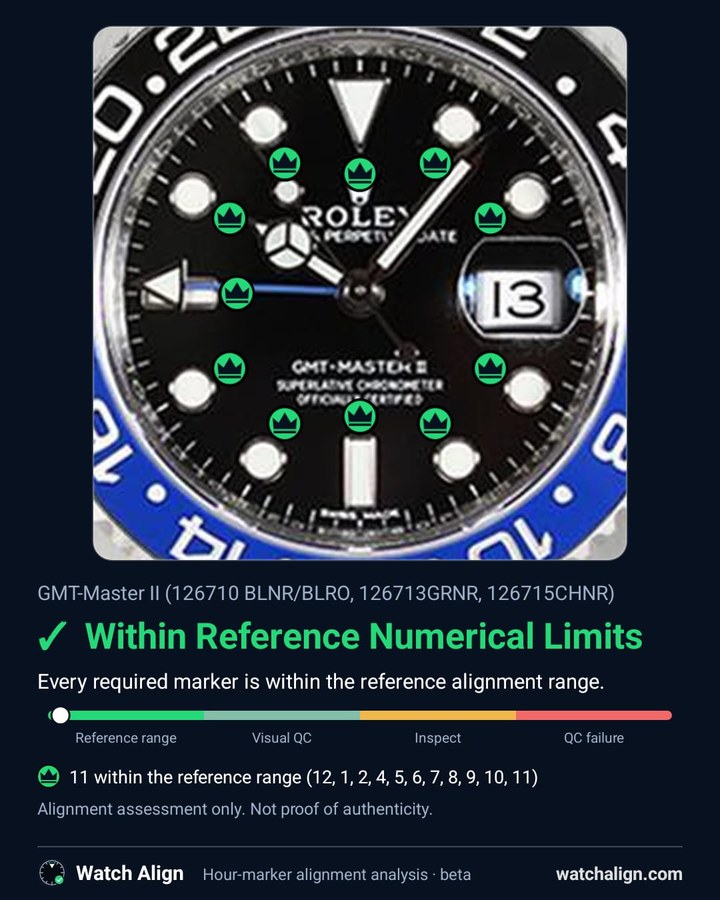
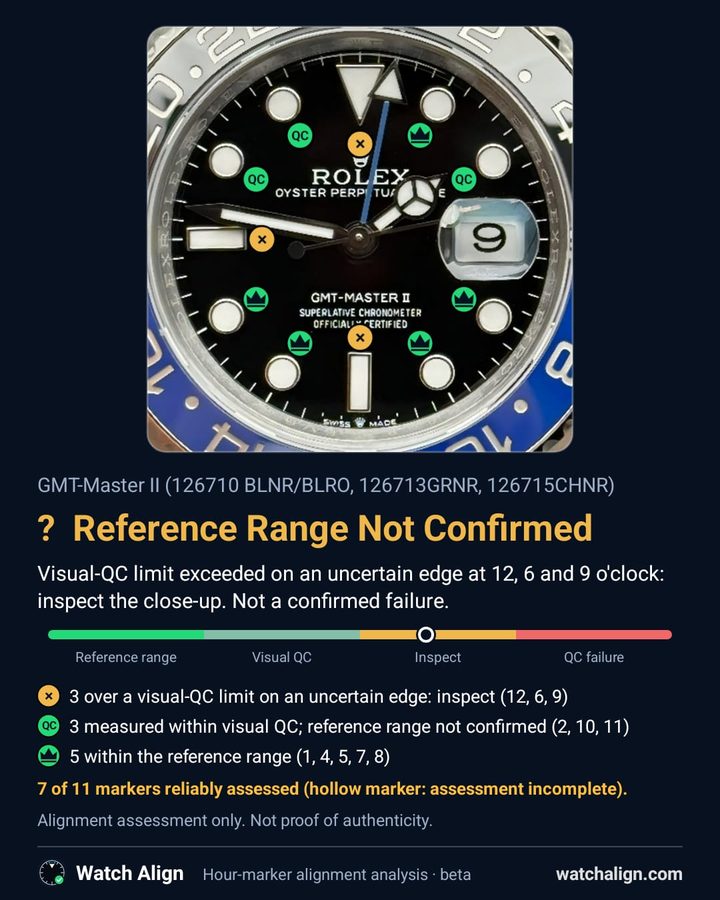
The overall result runs from within the reference range, through "reference range not confirmed" when one or more markers need a closer look, to outside the range. Every marker gets its own symbol on a straightened view of the dial, and markers that need attention come with a close-up. When a marker cannot be checked, for example because of a hand, glare or blur, Watch Align says so and gives the reason.
Taking a good photo
- Straight on, not at an angle.
- Sharp, with the whole dial in view and filling as much of the frame as possible.
- Hands and reflections kept off the markers where you can.
- If a result surprises you, check a second photo.
What it cannot do
Watch Align assesses hour-marker alignment only. It does not authenticate a watch and does not establish official Rolex factory tolerances. It does not examine the movement, case, bracelet, bezel, printing or materials. A watch can fall outside the limits and still be genuine, and a watch that is not genuine can pass them. Use it as one more careful look, not as a verdict.
Your photos stay on your phone
Watch Align analyses photos on your device. Under its privacy policy, the photo is not uploaded or saved by the app. If you choose to save or share a results image, the app you share it with applies its own privacy policy.
Beta and price
Watch Align is in beta, so it may have bugs and feedback is welcome. It is a paid app on Google Play. Testers pay 5p in the UK (low local prices elsewhere) and keep the app when the price goes up. The planned normal UK price is £2.99.
Join the Watch Align beta
Android only. Watch Align is a paid app on Google Play: testers pay 5p in the UK, and the planned normal UK price is £2.99.
How to join the beta